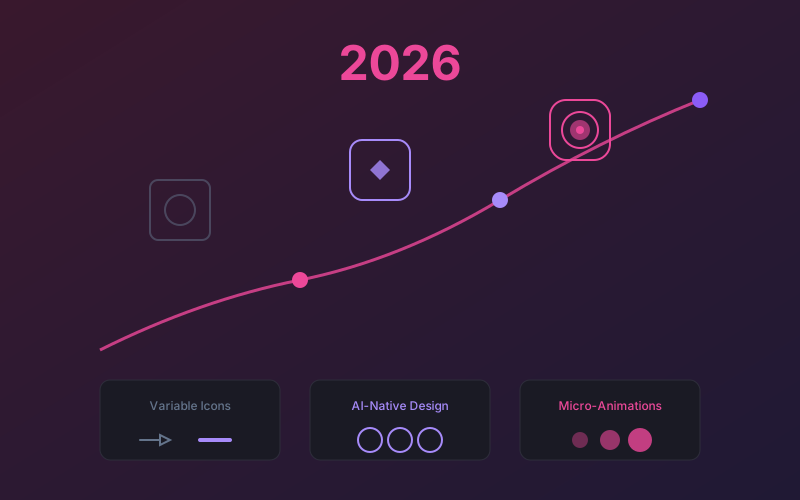
Key findings: The defining icon trends for 2026 are variable icons with multi-axis customization, AI-native workflows reaching production maturity with multi-tool orchestration, a move beyond pure minimalism toward styles like soft 3D and hand-drawn aesthetics, accessibility as a default requirement, 3D and depth effects with isometric and glassmorphism styles, brand-customized libraries made affordable through AI generation, and icons evolving from static files into programmable data. Teams that adopt these trends now will have a significant advantage in creating modern, user-friendly interfaces.
Icon design is in the middle of its biggest transformation since the shift from skeuomorphism to flat design. AI isn't just changing how icons are created — it's changing what icons can be and how they function in our interfaces.
This guide covers the major trends shaping iconography in 2026, with research-backed analysis and practical implications for designers, developers, and product teams.
1. Variable Icons Go Mainstream
Variable fonts have been around for years, but variable icons are finally hitting mainstream adoption in 2026. Following Google's Variable Font success, icon libraries are adopting similar technology.
Weight Axis
Single icon file supports multiple stroke weights (100-900)
Fill Axis
Smoothly transition between outline and filled states
Grade Axis
Optical adjustments for different backgrounds
Optical Size
Automatic detail adjustment based on display size
Variable icons mean smaller file sizes (one file instead of five weight variants), smoother animations, and runtime customization. Expect to see more design systems adopting this approach. You can already explore multiple icon weight styles using Iconly's icon generator.
AI's role: Creating variable icon systems traditionally required painstaking manual work. AI makes it feasible to generate multiple variants quickly, then build the interpolation system on top.
2. AI-Native Icon Workflows
AI icon generation has matured from novelty to production tool. Tools like Iconly are now standard in professional workflows, not just for rapid prototyping but for final production assets.
What Changed
- Quality parity: AI-generated icons now match hand-crafted quality for most use cases — see our detailed comparison
- Consistency tools: Reference features and custom templates ensure style coherence
- Speed advantage: Batch generation makes 100+ icon sets practical
- Integration: CDN delivery means icons go from generation to production instantly
Multi-Tool AI Workflows
According to design trend research, 2026's defining trend is orchestrating multiple AI tools together across four stages:
- Ideation: Use AI to generate dozens of concepts rapidly
- Generation: Specialized tools (like Iconly) for production assets
- Refinement: AI-assisted editing and enhancement
- Consistency: AI-powered style matching and quality control
Designers become conductors, orchestrating AI tools rather than manually executing every step. This elevates the designer's role to higher-level creative direction and quality judgment. For practical guidance on getting better results, see our AI icon prompting tips.
Context-Aware Generation
Future AI icon tools will understand context more deeply:
- Generate icons that match your existing design system automatically
- Understand your brand guidelines from examples
- Create icons optimized for specific platforms (iOS, Android, web)
- Suggest icon improvements based on usability research
Trend to watch: AI refinement loops where initial generation is followed by AI-assisted adjustments rather than manual editing. Early versions of this exist in Iconly's refinement feature.
3. Beyond Minimalism: New Style Directions
The flat design era pushed icons toward extreme simplicity. Now the pendulum is swinging back — not to skeuomorphism, but to something new.
Emerging Styles
| Style | Characteristics | Where It's Appearing |
|---|---|---|
| Soft 3D | Rounded shapes, subtle gradients, gentle shadows | Consumer apps, marketing |
| Multi-material | Glass, metal, plastic textures layered subtly | Premium products, fintech |
| Mascot icons | Character-based icons that express personality | Brands with playful identity |
| Imperfect/hand-drawn | Intentionally rough, human-feeling lines | Creative tools, indie apps |
The Authenticity Push
As noted in trend analysis, there's a growing movement toward "imperfect by design" — a creative rebellion against the sterile perfection that AI makes so easy to achieve. Ironically, AI is being bent toward creating icons that feel more human and handcrafted. Explore different style directions using Iconly's style selector.
New Iconography for AI Features
A practical challenge facing every product: how do we represent AI capabilities visually?
The sparkle has become the default "this is AI" indicator. But as AI becomes ubiquitous, one symbol isn't enough. Products need to distinguish between:
- AI-generated content
- AI suggestions
- AI agents and assistants
- AI reasoning/thinking
- AI observing/learning
- Different types of AI (chat, image, voice, code)
Industry hasn't standardized iconography for these concepts yet. The next few years will see experimentation and eventual convergence on conventions — similar to how the hamburger menu became universal for navigation. AI icon generators are already helping teams prototype new AI-specific iconography quickly.
4. Accessibility as Default
Accessibility is no longer an afterthought. 2026 icon systems build in accessibility from the start:
- Semantic markup: Icons ship with recommended ARIA patterns
- Contrast compliance: Color variants optimized for 3:1 minimum ratio
- Touch targets: Standard 44x44 minimum padding built into components
- Theme support: Dark mode variants included by default
This shift is driven partly by regulation (like the WCAG 2.2 update) and partly by growing awareness that accessible design benefits everyone. Building accessibility into your design system icon library from the start saves significant rework later.
5. 3D and Depth Effects
Flat design's dominance is softening. We're seeing subtle depth cues return to icon design:
Isometric Icons
3D perspective for feature illustrations
Soft Shadows
Subtle depth without harsh edges
Layered Elements
Overlapping shapes suggest depth
Glassmorphism
Translucent, frosted effects
Iconly's isometric style reflects this trend, offering 3D perspective icons for modern interfaces. Browse examples in our public icon library or create your own.
6. Brand-Customized Icon Libraries
Generic icon libraries are giving way to customized sets that reflect brand identity. AI generation makes this economically feasible for organizations that couldn't previously afford custom iconography. Iconly's brand asset generator helps teams create cohesive brand icon systems quickly.
Customization Dimensions
- Stroke treatment: Rounded vs sharp corners, stroke caps
- Visual density: Minimal vs detailed
- Character: Playful vs professional, geometric vs organic
- Color integration: Brand colors built into design language
For creating brand-consistent sets, see our guide on generating matching icon sets with AI.
7. Icons as Data
Icons are becoming more programmable and data-driven, moving from static assets in folders toward a fundamentally different model.
Current State
Icons today are static assets — files sitting in folders. Using a different icon requires swapping the file. This approach scales poorly and makes runtime adaptation impossible.
Emerging Model
Icons as parameters in a generative system:
- Define icon by semantic description, not file path
- Generate or retrieve at runtime based on context
- Automatically adapt to theme, size, and platform
- Version and update centrally without asset replacement
This model treats icons less like images and more like components that can be generated or modified programmatically. Tools like Iconly's CDN delivery and API are early steps toward this vision, letting teams manage icons as data rather than files. For a practical look at how this works today, see our Iconly API developer guide with real code examples for programmatic icon generation and management.
8. What This Means for Different Roles
For Designers
Your role is evolving, not disappearing:
- Less production work: AI handles the mechanical generation
- More strategic work: Deciding what to create, not how to create it
- Quality curation: Selecting and refining AI output
- System thinking: Building frameworks that AI can work within
Skill evolution: Prompt engineering, AI tool orchestration, and quality judgment become core competencies alongside traditional design skills. See our AI design productivity analysis for data on how these workflows compare.
For Developers
Custom icons become more accessible:
- Generate project-specific icons without waiting for designers
- Iterate on icon options during development
- Integrate AI generation into build pipelines via REST API
- Dynamic icon generation based on user preferences
For Product Managers
Icon decisions become faster and cheaper:
- Prototype with custom icons, not placeholders
- A/B test icon options without design bottlenecks — explore our public icon library for inspiration
- Personalized icons for different user segments
- Rapid iteration on iconography in user research
9. Looking Ahead: 2027 and Beyond
Based on current trajectories, here are the developments most likely to shape icon design in the coming years:
Integrated by Default
Design tools will include AI icon generation natively, not as plugins
Runtime Generation
Icons generated on-demand based on context and user preferences
Brand-Aware AI
AI that understands your brand guidelines and generates accordingly
Global Personalization
Icons adapted for cultural contexts and individual accessibility needs
The Human Element Remains
Despite all this automation, human judgment remains essential. As Nielsen Norman Group notes, the theme for UX in 2026 is "design deeper to differentiate." AI handles the surface; human insight handles the strategy.
The most valuable designers will be those who can leverage AI for execution while providing the creative direction, quality judgment, and user understanding that AI can't replicate. The tools are more powerful than ever — the challenge isn't capability but taste, knowing when to use animation, when to keep things simple, and how to balance consistency with context.
Getting started: Create a free Iconly account to experiment with AI icon generation and see how these trends apply to your work. Check our pricing plans to find the right tier for your team, or explore our prompting tips to get better results immediately.
Frequently Asked Questions
What are the biggest icon design trends in 2026?
The biggest icon design trends in 2026 include variable icons going mainstream with support for weight, fill, grade, and optical size axes; AI-native workflows reaching production maturity with multi-tool orchestration; a move beyond pure minimalism toward styles like soft 3D, multi-material, and hand-drawn aesthetics; accessibility built in by default with WCAG 2.2 compliance; 3D and depth effects including isometric and glassmorphism; brand-customized icon libraries made affordable through AI; and the emergence of icons as programmable data rather than static files.
How is AI changing icon design workflows?
AI has matured from a novelty to a production tool for icon design. Modern AI-native workflows orchestrate multiple tools across four stages: ideation using AI to generate dozens of concepts rapidly, generation using specialized tools like Iconly for production assets, refinement through AI-assisted editing and enhancement, and consistency checks via AI-powered style matching and quality control. AI-generated icons now match hand-crafted quality for most use cases, with reference features and batch generation making 100+ icon sets practical.
Will AI replace human icon designers?
AI is not replacing human icon designers but transforming their role. Designers spend less time on mechanical production work and more on strategic decisions, quality curation, and system thinking. The most valuable designers leverage AI for execution while providing creative direction, quality judgment, and user understanding that AI cannot replicate. Core competencies are evolving to include prompt engineering, AI tool orchestration, and quality judgment alongside traditional design skills.
What are variable icons and why do they matter?
Variable icons work like variable fonts, allowing a single icon file to support multiple stroke weights (100-900), smoothly transition between outline and filled states, adjust for different backgrounds via a grade axis, and automatically adapt detail levels based on display size. They reduce file sizes, enable smoother animations, and allow runtime customization without needing separate icon files for each variant.
What is the future of icon design beyond 2026?
Key predictions for 2027 and beyond include AI icon generation being integrated natively into design tools rather than as plugins, runtime icon generation based on context and user preferences, brand-aware AI that understands guidelines and generates accordingly, and global personalization with icons adapted for cultural contexts and individual accessibility needs. Icons will be treated less like static image files and more like programmable components that can be generated or modified on demand.
How important is icon accessibility in 2026?
Icon accessibility is now considered a default requirement rather than an afterthought. In 2026, icon systems are built with semantic ARIA markup, contrast compliance at a minimum 3:1 ratio, touch targets of at least 44x44 pixels, and dark mode variants included by default. This shift is driven by regulations like the WCAG 2.2 update and growing awareness that accessible design benefits all users.