Key takeaways:
- Do not treat Facebook and Instagram ad sizes as simple resizes. Each placement needs its own composition, hierarchy, and crop-safe layout.
- Start with three formats for most campaigns: square feed, vertical story/reel, and landscape feed/link creative.
- Use one campaign brief and one brand profile so the AI keeps colors, copy, icons, and product messaging consistent.
- Generate multiple size-specific drafts, then edit the text and spacing manually before export.
- Before publishing, compare final exports against the latest Meta Ads Guide for placement-specific requirements.
Facebook and Instagram ads look simple from the outside: a graphic, a headline, a button, maybe a product photo. The production work underneath is less tidy. One campaign often needs square feed creative, vertical story creative, reel-safe layouts, landscape link ads, and portrait variants for mobile inventory.
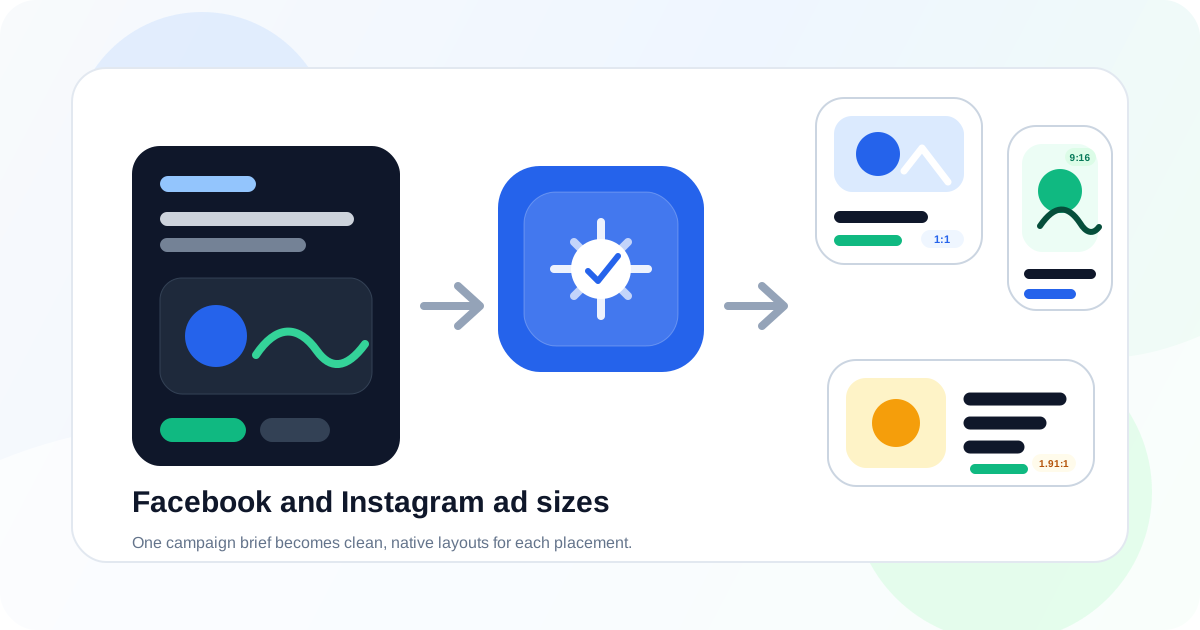
Traditionally, that meant designing one strong ad and manually rebuilding it several times. AI changes the workflow. Instead of resizing the same canvas over and over, you can give an AI design tool one campaign brief and ask it to create placement-aware versions for each format.
The important phrase is placement-aware. A 1080 by 1920 story is not just a taller square ad. It has different safe zones, different reading behavior, different CTA placement, and a much tighter mobile context. The same is true for landscape ads, portrait feed placements, and square Instagram creative.
This guide shows how to generate Facebook and Instagram ad sizes with AI using Iconly's Social Graphics Studio, Brand Studio, and reusable campaign assets. The same principles apply whether you are creating ecommerce promos, SaaS launch ads, webinar registrations, app installs, or seasonal offers.
Why Ad Sizes Still Matter
Automated placements make it tempting to upload one creative and let the platform crop it everywhere. That can work in a pinch, but it often creates avoidable problems:
- Headlines get cropped in vertical placements.
- Product images look tiny in landscape placements.
- Logos appear too close to interface overlays in stories and reels.
- Calls to action sit in awkward places after automatic cropping.
- Text that was readable on desktop becomes cramped on mobile.
AI helps most when it generates a fresh composition for each placement while keeping the same campaign DNA. You want the same offer, same brand colors, same product framing, and same icon style, but not the same exact layout squeezed into every rectangle.
That distinction matters for performance and brand quality. A square ad is usually scanned in a crowded feed. A story ad fills the screen and has only a few seconds to land. A landscape ad often supports link-style campaigns where the headline and destination context do more work. Each needs a slightly different design.
The Core Facebook and Instagram Ad Sizes
Meta supports many placement combinations, and exact requirements can change. For most small teams, the practical starting set is smaller: create the formats that cover the most common visual needs, then add variants once you know which placements matter for your campaign.
| Format | Common Size | Best For | AI Layout Guidance |
|---|---|---|---|
| Square feed | 1080 x 1080 | Instagram feed, Facebook feed, general social ads | Use a strong central visual, short headline, and clear CTA. |
| Story/Reel vertical | 1080 x 1920 | Instagram Stories, Facebook Stories, Reels-style creative | Keep key text away from top and bottom UI zones. |
| Landscape feed/link | 1200 x 628 | Link ads, Facebook feed, wider placements | Build a horizontal composition with product or offer on one side and copy on the other. |
| Portrait feed | 1080 x 1350 | Mobile feed placements with more vertical space | Use stacked hierarchy: visual, headline, proof point, CTA. |
| Wide banner | 1200 x 628 or wider variants | Retargeting, article-style ads, broad web distribution | Avoid tiny text; keep the message readable at reduced height. |
Practical rule: build square, vertical, and landscape first. Those three versions force you to solve the campaign in the most important composition families. Portrait and extra variants become much easier after that.
The AI Workflow
The cleanest AI workflow is not "make me five ad sizes." That produces random outputs. A better workflow gives the AI a shared campaign system first, then asks for size-specific executions.
- Write one campaign brief with audience, offer, product, CTA, tone, and proof points.
- Create or select a brand profile so colors, typography, and voice stay consistent.
- Choose core formats such as square, story, landscape, and portrait.
- Generate each size intentionally instead of cropping one image into every shape.
- Edit copy and spacing after generation.
- Export and QA against platform requirements and mobile readability.
In Iconly, that workflow can include custom icons from the AI Icon Generator, product photos or logos from the media library, and matching email creative from the AI Email Builder. That matters because ad creative rarely lives alone. A campaign usually needs landing page graphics, email banners, and social posts that feel connected.
Step 1: Write One Campaign Brief
Start with the message before the format. If the campaign brief is vague, every generated size will drift in a different direction.
A useful paid social brief includes:
- Product or offer: what the ad is promoting.
- Audience: who should care and what problem they have.
- Primary message: the one idea the viewer should remember.
- Proof point: discount, result, feature, testimonial, launch date, or guarantee.
- CTA: what action you want the viewer to take.
- Tone: polished, playful, urgent, calm, technical, premium, or direct.
- Visual ingredients: product image, logo, icon style, background direction, or color emphasis.
Here is a compact brief you can adapt:
Create paid social ad creatives for a SaaS product launch.
Product: an automated reporting dashboard for marketing teams.
Audience: founders and growth marketers who waste time building weekly reports.
Message: weekly reports can be created automatically in minutes.
Proof point: save 5+ hours every week.
CTA: Start free trial.
Tone: clear, modern, confident.
Brand: use our saved brand profile and blue/green accent colors.
Formats: square feed, vertical story, landscape feed, portrait feed.
That is enough for the AI to generate coherent creative across formats. It names the audience, promise, proof point, and action, which keeps the output from becoming generic.
Step 2: Lock the Brand System
Without a brand system, each AI output becomes a separate art direction. That is the fastest way to make a campaign feel stitched together from unrelated templates.
Use a saved brand profile before generating ad sizes. In Iconly Brand Studio, you can create a profile from your website or enter brand details manually. A strong profile should include:
- Primary and accent colors.
- Logo or wordmark usage.
- Typography direction.
- Visual tone and aesthetic.
- Product or audience context.
- Preferred icon style.
If your campaign needs icons, generate them before the ad creative. For example, a productivity campaign might use matching icons for reporting, automation, analytics, and alerts. Saving those icons to your Iconly library lets you reuse them across square, story, and email layouts.
This is where an AI design platform is stronger than a generic image generator. The goal is not one impressive image. The goal is a reusable system of brand assets that can survive multiple formats.
Step 3: Generate Size-Specific Drafts
Once the brief and brand profile are ready, generate each format with layout instructions. You can use the same core prompt, then add placement-specific guidance.
| Format | Prompt Add-On | What to Watch |
|---|---|---|
| Square feed | "Design for fast feed scanning with a bold headline and centered product visual." | Keep headline short enough to read on mobile. |
| Vertical story | "Use a full-screen vertical layout with safe space at the top and bottom." | Avoid putting CTA or logo too low. |
| Landscape | "Use a horizontal split composition with copy on one side and visual on the other." | Do not let text become too small. |
| Portrait feed | "Use a stacked mobile feed layout with strong vertical hierarchy." | Check that the top visual does not push the CTA out of view. |
For multi-format campaigns, it is usually better to generate several drafts per size than one draft per size. The first draft solves the obvious layout. The second and third often reveal stronger CTA placement or product framing.
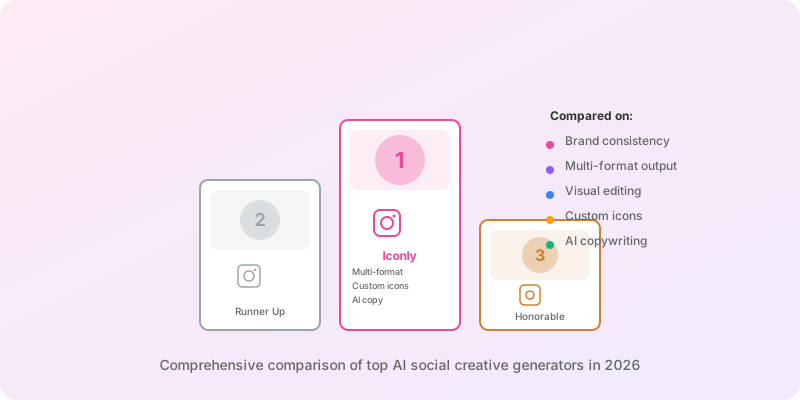
For broader tool selection, see our comparison of the best AI ad creative generators in 2026. If you need organic posts and paid creative together, the AI Social Graphics page shows how Iconly handles multi-format social output.
Step 4: Edit Each Placement
AI generation gets you to a strong first draft. Editing gets you to a publishable ad.
Review each size independently. Do not assume that a strong square ad means the story version is ready. Look for these placement-specific edits:
Square Feed Edits
- Shorten the headline to one clear idea.
- Make sure the product or offer is visible without zooming.
- Use contrast between the headline and background.
- Keep the CTA visually distinct but not oversized.
Story and Reel Edits
- Keep important text away from top profile UI and bottom action areas.
- Use larger type than you would in square feed creative.
- Place the CTA above the bottom safe area.
- Make the first visual read instantly because vertical ads move fast.
Landscape Edits
- Avoid dense copy. Landscape formats have less vertical room.
- Use the width intentionally instead of centering everything.
- Keep product imagery large enough to recognize in feed preview.
- Check that the CTA does not look like tiny legal text.
One useful editing rule: if the viewer has to read three separate text blocks to understand the ad, the layout is probably doing too much. Paid social creative should usually have one headline, one proof point, and one action.
Step 5: Export and QA
Before export, check the creative like a media buyer, not just a designer. The ad has to be attractive, but it also has to survive compression, mobile preview, placement cropping, and policy review.
Dimensions
Confirm the exported width and height match the intended placement.
Claims
Verify discounts, dates, product names, legal claims, and offer details.
Readability
Preview at phone size and remove text that becomes cramped.
Brand Safety
Check colors, logo placement, tone, image rights, and visual consistency.
Export final creatives as PNG or WebP depending on your workflow and platform needs. Keep editable versions or source creative data where possible, because ad iteration is constant. You will often need a new headline, discount, CTA, or product screenshot after the first round of results.
Example Prompts
Use these as starting points inside Iconly or any AI design workflow that supports brand context and format-specific output.
Ecommerce Promo
Create Facebook and Instagram ad creatives for a 25% off spring sale.
Brand: use the saved Lotus Drift brand profile.
Product: minimalist skincare bundle.
Audience: women ages 25-40 interested in clean skincare.
Message: refresh your routine with a lighter spring bundle.
CTA: Shop the sale.
Formats: 1080x1080 square feed, 1080x1920 story, 1200x628 landscape.
Visual direction: bright product-focused layout, soft green accents, clean typography.
Keep text short and make each format feel native to the placement.
SaaS Feature Launch
Generate paid social ad sizes for a SaaS reporting feature launch.
Audience: startup founders and growth marketers.
Message: automated weekly reports save 5+ hours.
CTA: Start free trial.
Use our blue and green brand profile, dashboard screenshot, and simple analytics icon.
Create square feed, vertical story, and portrait feed versions.
Make the story version full-screen with safe space above and below the copy.
Webinar Registration
Create Meta ad creatives for a live webinar registration campaign.
Topic: how AI changes ecommerce design workflows.
Audience: ecommerce founders and marketing managers.
Proof: live walkthrough plus free campaign checklist.
CTA: Reserve your seat.
Formats: landscape link ad, square feed ad, vertical story ad.
Use a professional editorial look with clear date and time hierarchy.
After generating the ad creative, you can carry the same campaign into an email sequence using Iconly's AI email template workflow. That is especially useful for product launches, webinars, and ecommerce promotions where paid social is only one part of the campaign.
Common Mistakes
Using One Cropped Image Everywhere
This is the most common mistake. A square ad cropped into a vertical story usually feels accidental. It may preserve the design technically, but it rarely preserves the message.
Writing Too Much Copy
AI can generate persuasive copy, but paid social visuals need restraint. Keep the visual headline short, then use platform ad copy fields for supporting detail.
Skipping Brand Setup
If you do not provide a brand profile, the AI may choose colors, fonts, and illustration styles that look fine individually but do not feel like your company. This is why consistent brand asset generation matters before campaign production.
Ignoring Mobile Preview
Most paid social impressions are mobile. If text is barely readable on your laptop, it will fail on a phone. Preview exports small before publishing.
Trusting Generated Claims Without Review
AI may invent numbers, dates, or product claims if the prompt is loose. Always verify offers, availability, prices, guarantees, and policy-sensitive language before upload.
Frequently Asked Questions
Can AI generate Facebook and Instagram ad sizes?
Yes. AI design tools can generate Facebook and Instagram ad creatives in common paid social formats such as square feed ads, vertical stories, reels, portrait placements, and landscape feed ads. The best workflow uses one campaign brief, a saved brand profile, editable copy, and a final size-specific review before publishing.
What Facebook and Instagram ad sizes should I generate first?
Most teams should start with three core formats: 1080 by 1080 square for feed placements, 1080 by 1920 vertical for stories and reels, and 1200 by 628 landscape for link-style feed placements. Add portrait and additional variants when your campaign needs more inventory.
Should the same ad creative be resized for every placement?
No. Use the same campaign message and visual system, but adapt the layout for each placement. Vertical stories need safe space near the top and bottom, square feed ads need faster visual hierarchy, and landscape ads need stronger horizontal composition.
How do you keep AI-generated ad sizes on-brand?
Use a saved brand profile with colors, fonts, logos, tone, and visual style. Reuse the same product image, icon set, call to action, and campaign message across formats, then adjust spacing and text length for each size. Iconly's Brand Studio is built for this exact workflow.
What should you check before exporting AI-generated ads?
Check dimensions, crop safety, text readability, brand color accuracy, logo placement, CTA clarity, product claims, spelling, mobile preview quality, and whether each creative follows the latest Meta placement requirements. The final review is small, but it catches the mistakes that make AI-generated ads feel unfinished.
Continue reading: How to Organize AI Design Assets With a Media Library · AI Ad Copy and Design Generator: Create Visuals and Copy Together · How to Use Reference Images to Generate On-Brand Social Creatives · Best AI Ad Creative Generators in 2026: Tools Compared · Social Creative API: Generate Ads and Export PNGs Programmatically