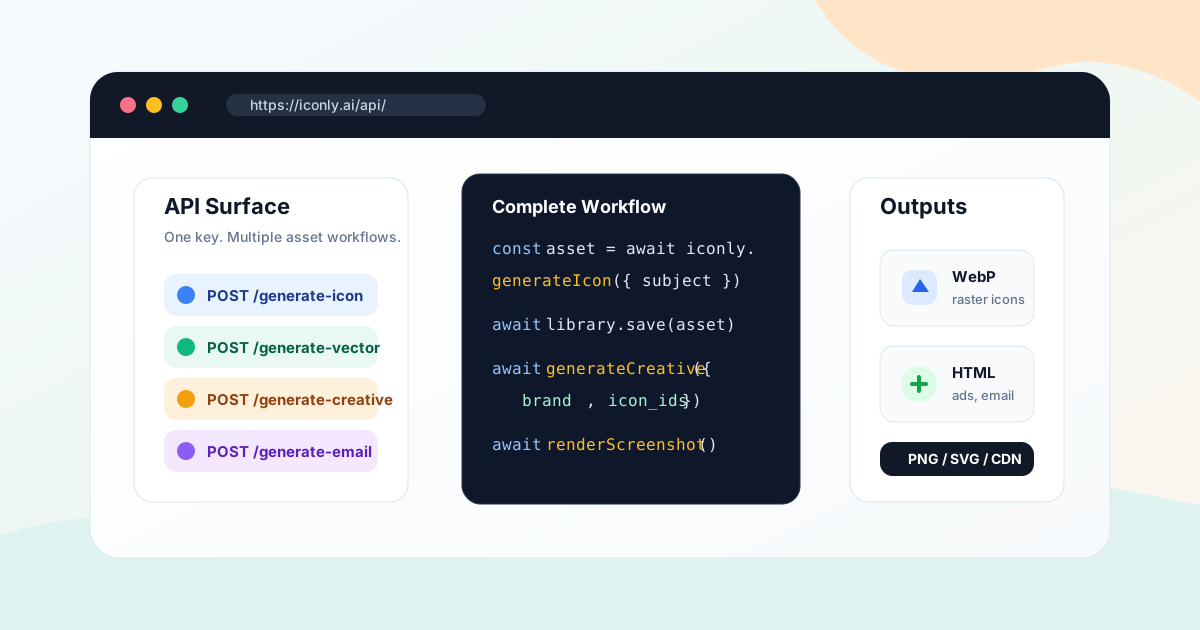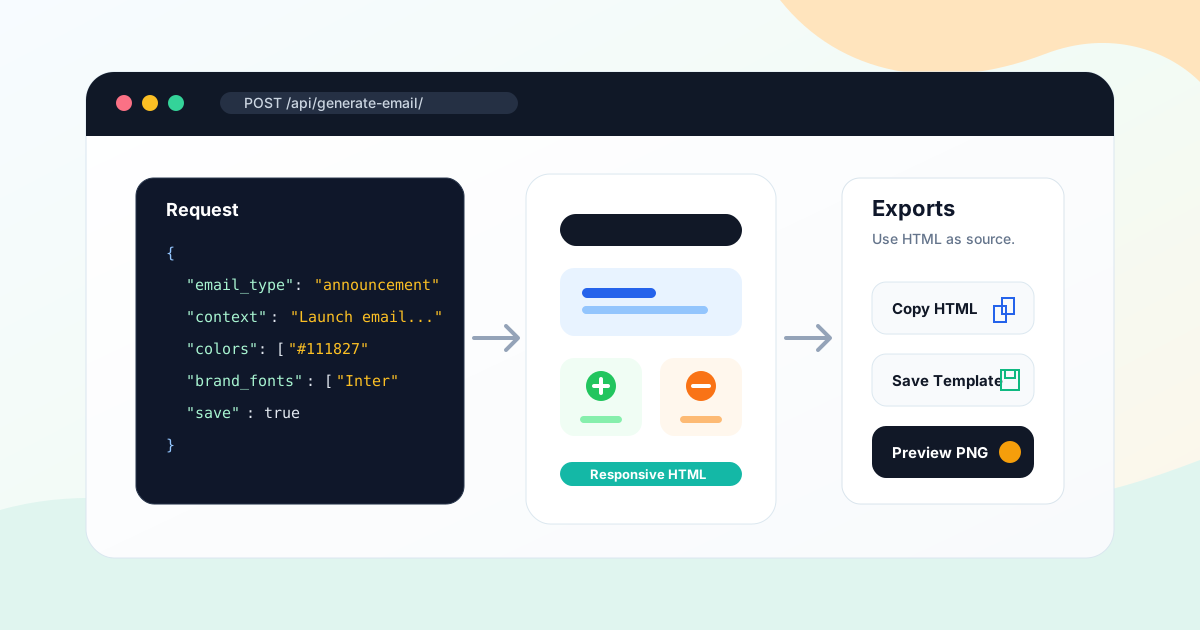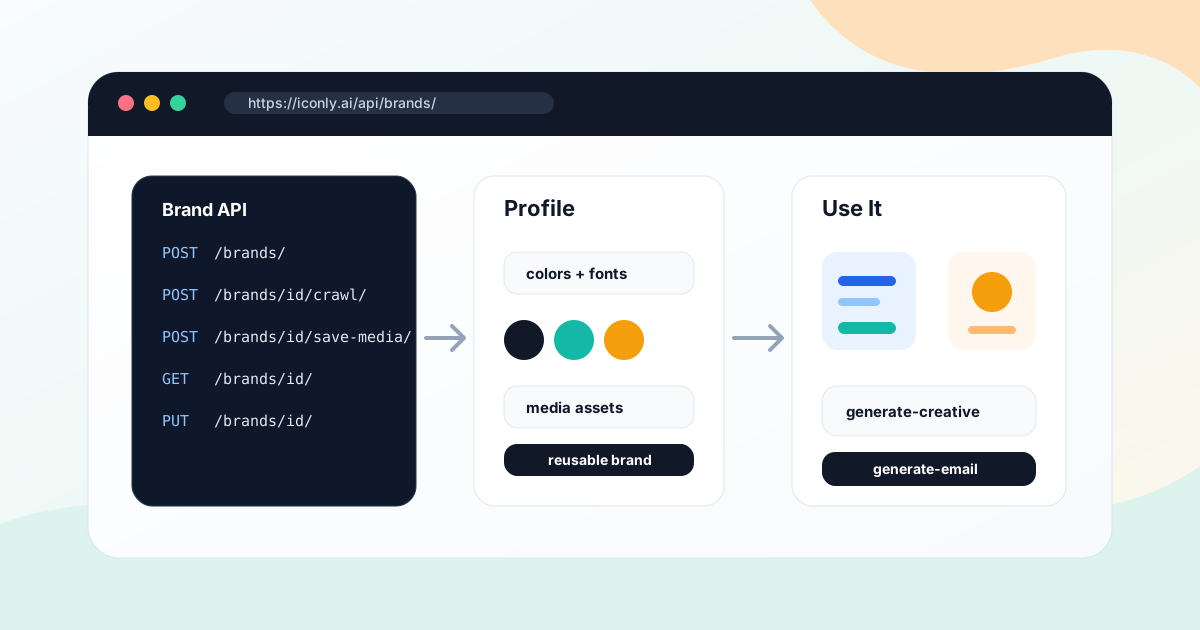
Key takeaways: The Iconly API includes brand endpoints for creating, listing, updating, deleting, crawling, and reusing brand profiles. Use POST /api/brands/ to create a brand, optionally with a crawl URL. Use POST /api/brands/{brand_id}/crawl/ to refresh a profile from a website. Use POST /api/brands/{brand_id}/save-media/ to save discovered images. Then pass the brand's context, colors, and fonts into generate-creative or generate-email.
Brand consistency is easy when a person manually checks every asset. It gets harder when your app, agent, or internal tool generates social graphics, emails, icons, and media on demand. You need a machine-readable source of truth: colors, fonts, logo URL, products, features, visual style, and useful media assets.
The Iconly Brand API gives developers that source of truth. You can create brand profiles manually, crawl a website to extract identity, save discovered media into the media library, and reuse the same profile when generating social creatives or HTML email templates.
This guide focuses on the REST workflow. If you want a non-technical walkthrough first, read How to Extract Brand Identity From a Website With AI. If you want the broader API map, start with the complete Iconly API guide.
Why Use a Brand API?
A brand API is useful when brand setup and creative generation are part of a product workflow rather than a manual design task.
Client Onboarding
Let an agency portal create a brand profile from a client's website before generating campaign assets.
Brand-Safe Generation
Reuse the same colors, fonts, products, and aesthetic across social graphics and emails.
Media Reuse
Save logos, product screenshots, and campaign images discovered during a crawl into the media library.
Automation
Build repeatable workflows for SaaS dashboards, ecommerce stores, agencies, and AI agents.
Authentication and Access
All API calls use the same base URL:
https://iconly.ai/apiAuthenticate with an API key in the X-API-Key header. API keys use the ik_ prefix and should stay server-side.
X-API-Key: ik_your_api_key_here
Content-Type: application/json
Brand endpoints require an authenticated user. API key access is designed for Pro and Max plans. Manual brand creation and updates are free; website crawling costs 10 tokens and requires Pro or Max access.
Brand API Endpoints
| Endpoint | Method | Use |
|---|---|---|
/api/brands/ |
GET |
List all brand profiles for the authenticated user. |
/api/brands/ |
POST |
Create a brand manually or create and crawl a website in one request. |
/api/brands/{brand_id}/ |
GET |
Fetch one brand profile. |
/api/brands/{brand_id}/ |
PUT |
Update and clean a brand profile. |
/api/brands/{brand_id}/ |
DELETE |
Delete a brand profile. |
/api/brands/{brand_id}/crawl/ |
POST |
Crawl or re-crawl a website and populate brand data. |
/api/brands/{brand_id}/save-media/ |
POST |
Save selected discovered media items to the media library. |
Brand Data Model
A serialized brand object looks like this:
{
  "id": "uuid",
  "name": "Acme Analytics",
  "domain": "acme.example",
  "description": "Analytics dashboards for SaaS teams.",
  "aesthetic": "Clean, modern, data-rich, calm.",
  "colors": {
    "primary": "#0f172a",
    "secondary": "#14b8a6",
    "accent": "#f59e0b"
  },
  "logo_url": "https://example.com/logo.svg",
  "products": ["Executive dashboards", "AI weekly summaries"],
  "features": ["Revenue reporting", "Team activity insights"],
  "links": [{"label": "Pricing", "url": "https://acme.example/pricing"}],
  "contact": {"email": "hello@acme.example"},
  "fonts": ["Inter", "Playfair Display"],
  "details": {},
  "crawl_url": "https://acme.example",
  "crawled_at": "2026-05-28T12:00:00Z"
}
The most important fields for generation are description, aesthetic, colors, fonts, products, and features. Those fields become the context that keeps downstream graphics and emails on-brand.
Create a Brand
To create a brand manually, send a POST request with at least a name:
POST /api/brands/
{
  "name": "Acme Analytics",
  "domain": "acme.example",
  "description": "Analytics dashboards for SaaS teams.",
  "aesthetic": "Clean, technical, modern, data-rich.",
  "colors": {
    "primary": "#0f172a",
    "secondary": "#14b8a6",
    "accent": "#f59e0b"
  },
  "fonts": ["Inter", "Georgia"],
  "products": ["Executive dashboards"],
  "features": ["AI weekly summaries"]
}
Manual creation is useful when you already have a brand guide or when you want to create a sample profile without spending crawl tokens. Brand names must be unique per account.
Create and Crawl in One Request
If you include url, Iconly creates the brand and crawls the website immediately:
POST /api/brands/
{
  "name": "Acme Analytics",
  "url": "https://acme.example"
}
This costs 10 tokens and returns both brand and discovered_media.
Crawl a Website
Use the crawl endpoint when a brand already exists and you want to populate or refresh it from a website.
POST /api/brands/{brand_id}/crawl/
{
  "url": "https://acme.example"
}
The crawl updates the brand profile with extracted brand data:
- Domain and description
- Visual aesthetic
- Primary, secondary, and accent colors
- Fonts
- Products and features
- Links and contact data
- Logo URL
- Crawl URL and crawl timestamp
The response also includes discovered_media, which can contain up to 15 visually significant images identified during the crawl.
{
  "brand": { "...": "..." },
  "discovered_media": [
    {
      "url": "https://acme.example/logo.svg",
      "description": "Acme Analytics logo",
      "is_logo": true
    }
  ]
}
Tip: Crawl the most representative public page. The homepage is usually best, but a product page or ecommerce storefront may be better if it contains the real current visual identity.
Save Discovered Media
Crawled media is returned as references. To reuse those images in generated social graphics or emails, save selected items into the media library.
POST /api/brands/{brand_id}/save-media/
{
  "media": [
    {
      "url": "https://acme.example/logo.svg",
      "description": "Acme Analytics logo",
      "is_logo": true
    },
    {
      "url": "https://acme.example/product-dashboard.png",
      "description": "Dashboard product screenshot",
      "is_logo": false
    }
  ]
}
The endpoint attempts to download valid image files, skips invalid or oversized files, saves them as media assets, and returns saved asset IDs.
{
  "success": true,
  "saved_count": 2,
  "assets": [
    {
      "id": "uuid",
      "name": "logo.svg",
      "url": "/api/media/uuid/serve/",
      "description": "Acme Analytics logo"
    }
  ]
}
Only save assets that are useful and legally usable. Logos, product photos, screenshots, packaging, and clean hero images are usually worth saving. Tracking pixels, thumbnails, third-party badges, and temporary campaign banners usually are not.
Update and Clean a Brand
A crawl should be treated as a draft. Use PUT /api/brands/{brand_id}/ to clean the brand before using it as the source of truth.
PUT /api/brands/{brand_id}/
{
  "name": "Acme Analytics",
  "domain": "acme.example",
  "description": "Acme Analytics helps SaaS leaders turn revenue, product, and customer data into weekly executive dashboards.",
  "aesthetic": "Modern B2B SaaS, dark navy base, teal accents, clean cards, calm data visuals, high contrast CTAs.",
  "colors": {
    "primary": "#0f172a",
    "secondary": "#14b8a6",
    "accent": "#f59e0b"
  },
  "fonts": ["Inter", "Georgia"],
  "logo_url": "https://acme.example/logo.svg",
  "products": ["Executive dashboards", "AI weekly summaries"],
  "features": ["Revenue reporting", "Team activity insights"],
  "links": [],
  "contact": {},
  "details": {},
  "crawl_url": "https://acme.example"
}
The update endpoint requires name. Include all fields you want to preserve or change. This makes it a good place to remove temporary colors, fix fallback fonts, shorten product lists, and rewrite vague aesthetic language.
Reuse a Brand in Social and Email Generation
The public generation endpoints do not need the brand object itself. Fetch the brand, build a concise context block, and pass colors and fonts explicitly into the generation request.
Brand Context Block
Brand: Acme Analytics
Website: acme.example
Brand Info: Acme Analytics helps SaaS leaders turn revenue, product, and customer data into weekly executive dashboards.
Products/Services: Executive dashboards, AI weekly summaries
Key Features: Revenue reporting, Team activity insights
Brand Aesthetic: Modern B2B SaaS, dark navy base, teal accents, clean cards, calm data visuals, high contrast CTAs.
Use the Brand in Social Creative Generation
POST /api/generate-creative/
{
  "platform": "instagram",
  "context": "Brand: Acme Analytics\nWebsite: acme.example\nBrand Info: ...\n\nLaunch announcement for the new executive dashboard.",
  "colors": ["#0f172a", "#14b8a6", "#f59e0b"],
  "brand_fonts": ["Inter", "Georgia"],
  "media_assets": [
    {
      "id": "uuid",
      "name": "dashboard screenshot",
      "url": "/api/media/uuid/serve/",
      "width": 1200,
      "height": 800
    }
  ]
}
Use the Brand in Email Generation
POST /api/generate-email/
{
  "email_type": "announcement",
  "context": "Brand: Acme Analytics\nWebsite: acme.example\nBrand Info: ...\n\nAnnouncement email for the new executive dashboard.",
  "colors": ["#0f172a", "#14b8a6", "#f59e0b"],
  "brand_fonts": ["Inter", "Georgia"],
  "model": "thinking"
}
For more detail on those downstream endpoints, read the Social Creative API guide and the AI Email Template API guide.
Python Example
This script creates a brand with a website crawl, saves useful discovered media, cleans the brand profile, and generates a branded social creative.
import os
import requests

BASE = "https://iconly.ai/api"
HEADERS = {
    "X-API-Key": os.environ["ICONLY_API_KEY"],
    "Content-Type": "application/json",
}

def check(resp):
    data = resp.json()
    if not resp.ok:
        raise RuntimeError(data.get("error", f"Iconly API error {resp.status_code}"))
    return data

created = check(requests.post(
    f"{BASE}/brands/",
    json={
        "name": "Acme Analytics",
        "url": "https://acme.example",
    },
    headers=HEADERS,
    timeout=180,
))

brand = created["brand"]
brand_id = brand["id"]
discovered = created.get("discovered_media", [])

to_save = [
    item for item in discovered
    if item.get("is_logo") or "dashboard" in item.get("description", "").lower()
][:5]

saved_assets = []
if to_save:
    saved = check(requests.post(
        f"{BASE}/brands/{brand_id}/save-media/",
        json={"media": to_save},
        headers=HEADERS,
        timeout=60,
    ))
    saved_assets = saved["assets"]

brand["description"] = (
    "Acme Analytics helps SaaS leaders turn revenue, product, "
    "and customer data into weekly executive dashboards."
)
brand["aesthetic"] = (
    "Modern B2B SaaS, dark navy base, teal accents, clean cards, "
    "calm data visuals, high contrast CTAs."
)

cleaned = check(requests.put(
    f"{BASE}/brands/{brand_id}/",
    json=brand,
    headers=HEADERS,
    timeout=30,
))["brand"]

colors = cleaned.get("colors", {})
brand_colors = [
    colors.get("primary", "#0f172a"),
    colors.get("secondary", "#14b8a6"),
    colors.get("accent", "#f59e0b"),
]

brand_context = f"""Brand: {cleaned['name']}
Website: {cleaned.get('domain', '')}
Brand Info: {cleaned.get('description', '')}
Products/Services: {', '.join(cleaned.get('products', []))}
Key Features: {', '.join(cleaned.get('features', []))}
Brand Aesthetic: {cleaned.get('aesthetic', '')}"""

creative = check(requests.post(
    f"{BASE}/generate-creative/",
    json={
        "platform": "square",
        "context": brand_context + "\n\nCreate a product launch graphic for the new executive dashboard.",
        "colors": brand_colors,
        "brand_fonts": cleaned.get("fonts", []),
        "media_assets": saved_assets[:1],
        "model": "thinking",
    },
    headers=HEADERS,
    timeout=180,
))

print(creative["id"])
Node.js Example
This Node example lists brands, fetches one profile, and uses it to generate an announcement email.
const BASE = "https://iconly.ai/api";
const API_KEY = process.env.ICONLY_API_KEY;

async function request(path, options = {}) {
  const response = await fetch(`${BASE}${path}`, {
    method: options.method || "GET",
    headers: {
      "X-API-Key": API_KEY,
      "Content-Type": "application/json",
    },
    body: options.body ? JSON.stringify(options.body) : undefined,
  });

  const data = await response.json();
  if (!response.ok) {
    throw new Error(data.error || `Iconly API error ${response.status}`);
  }
  return data;
}

const brands = await request("/brands/");
const brand = brands.brands.find((b) => b.name === "Acme Analytics");

if (!brand) {
  throw new Error("Brand not found");
}

const colors = brand.colors || {};
const brandColors = [
  colors.primary || "#0f172a",
  colors.secondary || "#14b8a6",
  colors.accent || "#f59e0b",
];

const brandContext = `Brand: ${brand.name}
Website: ${brand.domain || ""}
Brand Info: ${brand.description || ""}
Products/Services: ${(brand.products || []).join(", ")}
Key Features: ${(brand.features || []).join(", ")}
Brand Aesthetic: ${brand.aesthetic || ""}`;

const email = await request("/generate-email/", {
  method: "POST",
  body: {
    email_type: "announcement",
    context: `${brandContext}\n\nAnnounce the new executive dashboard with one CTA: Book a demo.`,
    colors: brandColors,
    brand_fonts: brand.fonts || [],
    model: "thinking",
    save: true,
    name: "Executive dashboard announcement",
  },
});

console.log(email.creatives[0].html);
Errors, Tokens, and Rate Limits
| Status | Cause | Fix |
|---|---|---|
400 |
Missing brand name, duplicate name, missing crawl URL, or missing media array. | Validate request bodies before sending. |
401 |
Missing or invalid API key. | Send X-API-Key from server-side code. |
403 |
Plan restriction or insufficient tokens for crawl. | Use Pro/Max for crawling and check GET /api/tokens/ first. |
404 |
Brand ID not found for the authenticated user. | List brands and use a valid UUID owned by the user. |
500 |
Crawl failed or the target site could not be parsed. | Try a more representative public URL or create the brand manually. |
Brand crawling costs 10 tokens. Manual create, list, get, update, delete, and media-save calls do not generate AI content, though media saving still respects storage limits and skips invalid or oversized files.
Best Practices
Check Tokens Before Crawling
Call GET /api/tokens/ before onboarding multiple brands. A crawl costs 10 tokens, and failed planning is nicer than half-finished onboarding.
Use One Brand Per Client or Product
Brand names are unique per account. Keep names specific, especially for agencies. Use "Northstar Analytics" instead of "Client" or "Test Brand."
Review Crawl Output Before Generation
AI can extract strong first drafts, but it can also pick temporary campaign colors, fallback fonts, or irrelevant media. Clean the profile before using it in production assets.
Save Only Useful Media
Discovered media can include logos, product screenshots, hero images, and visual references. Save the reusable pieces. Skip thumbnails, tracking images, old event banners, and third-party badges.
Pass Context and Design Values Together
Do not only pass colors. A good generation request includes narrative brand context plus explicit colors and brand_fonts. The context explains the brand; the arrays give the renderer concrete design values.
Frequently Asked Questions
Does Iconly have a Brand API?
Yes. Iconly provides brand endpoints for listing, creating, updating, deleting, crawling, and reusing brand profiles. The core endpoints are GET /api/brands/, POST /api/brands/, GET/PUT/DELETE /api/brands/{brand_id}/, POST /api/brands/{brand_id}/crawl/, and POST /api/brands/{brand_id}/save-media/.
Can the Brand API crawl a website?
Yes. Pass a URL when creating a brand or call POST /api/brands/{brand_id}/crawl/. The crawl extracts structured brand data such as colors, fonts, aesthetic, products, features, links, contact data, logo URL, and discovered media.
How much does a brand crawl cost?
A brand crawl costs 10 tokens and requires a Pro or Max subscription. Creating or updating a brand manually without crawling is free.
Can brand profiles be used in generated social graphics and emails?
Yes. Fetch the brand, build a context block from its name, domain, description, products, features, and aesthetic, then pass the brand colors and fonts into the social creative or email generation request.
Can I save images discovered during a brand crawl?
Yes. Send selected discovered media items to POST /api/brands/{brand_id}/save-media/. Iconly downloads valid image files, saves them to the media library, and returns saved media asset IDs and URLs.
Should I crawl the brand every time I generate assets?
No. Crawl once during onboarding, review and clean the profile, then reuse it. Re-crawl only when the website changes, the brand refreshes, or you need newly discovered media.